

It is important to know what exactly "3D design" means. 3D design is just the process of creating digital objects that have height, width, and depth using design software. The result? Visuals you can rotate, view from any angle, and actually simulate in real conditions.
Institutes like Arena Animation have been training designers on these skills for years, across industries like gaming, film, product design, and more recently, mobile app design.
Forget flat visuals. That's really the main point.
Importance of 3D Design in Digital Products
Here's why designers have started taking 3D seriously even in app work:
- Product visuals that look like the actual thing — not a rough sketch
- Users spend more time on apps and websites that feel visually engaging
- Storytelling in design gets a serious upgrade when depth is involved
- Architecture firms, gaming studios, and branding teams have been using it for ages
- Modern UI experiences in apps just feel better when 3D elements are done right
The connection between 3D design and how to design an app has gotten a lot tighter over the last few years. Better visuals and more natural interaction flows are all connected.
How to Design an App (Step-by-Step Process)
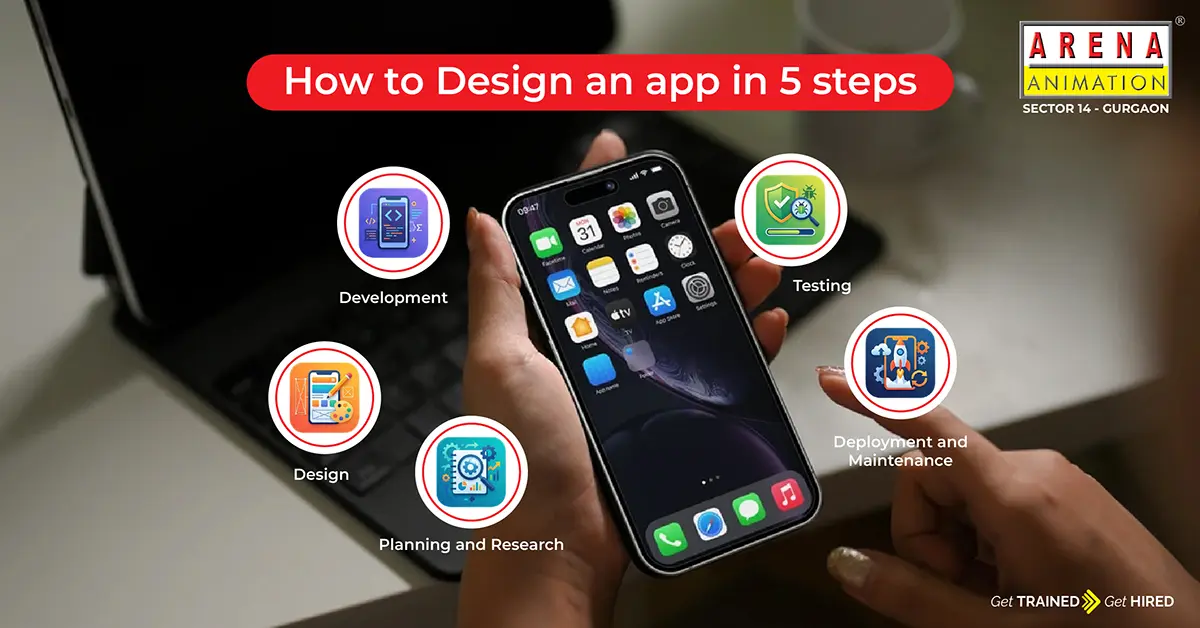
Step 1: Define Your App Idea
Sounds obvious. Most people still skip it. Getting clear on your idea isn't just naming your app — it's doing the boring but necessary work first. What problem does this app actually solve? And for whom, specifically? Not "young" professionals—actually think about who this person is, what frustrates them, and why they'd open your app instead of just Googling it.
Identify the problem or need. Conduct market research. Define your target audience. Create user personas.
That's what this step is for.
Step 2: Design Your App Structure
Once the idea is solid, you get into planning the layout.
You have to create wireframes first. It's logical. Does the navigation make sense? Can a new user figure out where to go without being told? Select typography and color palette at this stage, not later. And lastly, define screen structure
This approach is the real foundation of how to design mobile apps — structure before style, always.
Step 3: Build Prototypes
Firstly, you create user flows to map out exactly how someone moves through your app. Then you organize app content so nothing feels randomly placed. From there, you prioritize features; to build everything at once is how projects fall apart. Finally, you add interaction design, which makes the app feel more intuitive.
Step 4: Start Development
First decision: choose app type — native or hybrid. Native gives you better performance and feels right on each platform. Hybrid gets you to both iOS and Android faster. Neither is wrong; it totally depends on your need and budget. Once that's decided, begin coding process and keep the scope tight early on. Build MVP first — a working version with just the core features, nothing extra. Then get it out and collect early user feedback as soon as possible. Honestly, even five real users will teach you more than weeks of internal testing ever will.
Step 5: Testing and Launch
This step is constantly underestimated.
- Starting with test performance and fix errors ensures reliability.
- Constantly listen and improve based on feedback.
- Launch on Play Store and App Store
- Keep updating features
And here's the thing most people don't say enough: launching is not the end. Anyone who's figured out how to develop an app successfully will tell you the post-launch phase is where the real learning happens. Keep updating. Keep listening.
Mobile App Design Concepts You Should Know
A few terms you will encounter:
UI design is about what users see—layout, colors, spacing, and visual elements. UX design is about users' experience and flow.
Interaction design defines how users move through each screen — the flows, the taps, the transitions. Visual hierarchy is what improves readability and usability. It helps users know what to read or click first, without thinking about it.
Miss any of these in mobile app design, and it shows. Users don't always know why an app feels bad. They just stop using it.
iOS vs Android Development
Developing for iOS
Apple's devices only. Work on the Swift language and focus on consistent UI standards that you should follow.
Developing for Android
Android runs on multiple devices. Working on the Kotlin or Java language and offers more customization options.
When you're learning how to build a mobile app, you'll eventually need to understand both sides. Your users aren't all on one platform.
Examples of Popular App Design
Spotify—the layout is clean, but the experience feels personal. Discovery features, queue management, playlist flows — nothing feels like work.
Instagram — built around images with basically zero friction. You scroll without thinking. That's not accidental.
DoorDash — function over everything. You know what you want, the app is simple, and you're done. Good mobile app design sometimes just means removing every unnecessary step.
These apps weren't designed by accident. They were iterated on constantly, which is the part people don't always see.
Tools Used in App and 3D Design
Figma has become the default for UI/UX design and prototyping — collaborative, browser-based, and genuinely good. Blender is the go-to for 3D modeling, and it's free, which helps. Adobe XD is still used widely for interface design. And depending on your workflow, various prototyping tools get pulled in for user testing.
If you're designing a mobile app professionally, you'll likely end up touching most of these at some point.
How 3D Design Helps in App Development
The practical benefits are real:
- App previews actually look like the finished thing, not a guess
- Design communication between teams becomes clearer—people can see what's being described
- User testing gets more accurate because the prototype feels more real
- UI/UX design gains actual depth, not just visual decoration
- Stakeholders make decisions faster when they can see a realistic version of the product
That's why 3D design keeps showing up in how to create app workflows — it removes ambiguity at a stage when ambiguity is expensive.
FAQs
What is 3D design in simple words?
Creating digital objects that have height, width, and depth using software—so they look and behave more like physical things.
How is 3D design used in mobile apps?
3D design helps designers to make apps with realistic UI elements, working prototypes, and visuals.
What is the first step in app development?
Defining the idea properly — which really means understanding the problem and the people who have it.
Which tools are used for app design?
Mostly, designers prefer to use Figma and Adobe, and prototyping tools depend on necessity.
Can beginners learn how to build an app?
Yes. The first app doesn't need to be impressive — it just needs to get built. That's the only way the learning actually happens.